
Platform
Placement approval workflow with audit history on every decision
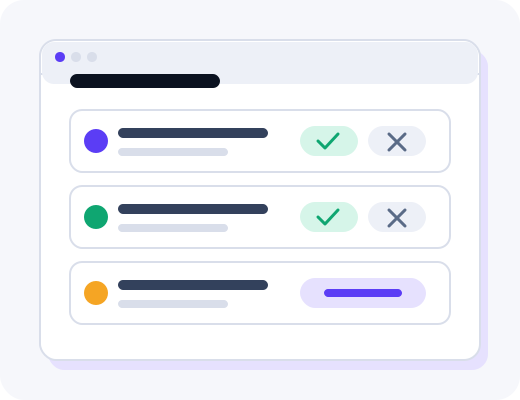
Review proposed placements with target URL, anchor context, publisher metrics and credit cost. Accept, reject or request revisions—outreach does not begin until you approve.
The problem with outreach that starts before you sign off
Traditional vendor models often pitch publishers first and ask forgiveness later. By the time SEO or brand sees a domain, emails are already sent, drafts are underway and reversing course wastes calendar time on both sides. Legal and compliance teams get pulled into emergencies instead of planned reviews. Finance discovers spend against placements nobody explicitly authorised. The result is slower campaigns, brittle stakeholder relationships and audit trails that live in scattered inboxes rather than a durable record.
The placement approval workflow inverts that sequence. Every proposed placement arrives in your queue with the fields required to decide: target URL on your site, suggested anchor text, surrounding context, publisher metrics, link attributes and credit cost. You accept, reject or comment. Rejected proposals do not consume delivery credits, and managed outreach does not begin until the revised version is approved.
How proposals reach your queue
After you brief priority pages and guardrails during onboarding, operators source candidates from the vetted publisher marketplace that respect your blocklists and category exclusions. Matching rows become formal proposals attached to an order record. For high-volume programs, batch review can surface proposals that share the same brief template, while individual exceptions still appear for manual decision. Bulk actions never bypass compliance flags or domain blocklists configured in workspace settings.
When you request changes—anchor wording, target page swap or a different publisher—the team revises the proposal before you accept. Major changes may shift credit tier if authority or content depth changes, but you always see the updated context pre-outreach. That loop keeps brand, SEO and legal aligned without stopping the entire campaign for a single contentious domain.
What you see in the dashboard
The approval view lists open proposals with sort and filter options by client workspace, campaign tag, priority page or credit band. Each row expands to show publisher vetting notes, host URL for edits, draft status for guest contributions and any compliance labels such as sponsored or no-follow requirements. Comment threads attach to the proposal so content owners can ask for tone adjustments without granting them full admin access to unrelated orders.
Timestamps show when a proposal was created, commented on and decided. Exports include that trail for internal audits or client reporting. When a publisher hold approaches expiry because a slot was reserved during review, order tracking surfaces the deadline so you can refresh or swap placements without restarting the whole brief.
Decision types your team uses daily
- Accept — moves the placement into outreach and content production
- Reject — closes the proposal without spending credits
- Request revision — sends anchor, URL or publisher changes back to operators
- Delegate comment — invites brand or legal input without changing status
Permissions and roles
Role-based access lets the right stakeholders decide without exposing unrelated workspace data.
SEO lead approver
Full accept and reject authority, blocklist edits and batch review for campaigns under their workspace.
Brand or legal reviewer
Comment and recommend without admin rights; dual approval can be required for sensitive verticals during scoping.
Agency operator
Manages proposals across client workspaces while client contacts approve in isolated queues.
Finance read-only
Views credit exposure on open proposals and historical decisions without editing campaign settings.
Who benefits: in-house teams vs agencies
In-house teams keep veto power while outsourcing negotiation and content adaptation. Product marketing and legal can join the queue with limited permissions so SEO is not the bottleneck for every comment. Because rejected ideas do not spend credits, leadership can encourage conservative decisions without fear of burning budget on misfit domains.
Agencies route approvals to client contacts while keeping publisher sourcing consolidated. Client-facing views can hide internal credit mechanics yet still show publisher context and target pages. Unbranded exports from reporting inherit the same approval timestamps shown internally, which helps account leads defend placements during quarterly business reviews.
Campaign types that share the same queue
Guest contributions, contextual edits and digital PR angles all pass through the same approval mechanics even when production steps differ. PR pitches may require angle sign-off before target lists finalize; guest posts show draft milestones after acceptance. The queue stays the system of record regardless of format, which simplifies training for new coordinators.
Regulated programs often add mandatory reviewers to the chain without slowing unrelated orders. Finance can subscribe to digests that list accepted placements in period for accrual checks, while SEO leads retain sole reject authority. That separation keeps compliance visibility high without turning every comment into a hard blocker when timelines are tight.
Related platform features
Approvals sit at the centre of how delivery works: inventory from the marketplace becomes proposals here, then moves into order tracking through live verification. Quality standards explain why proposed publishers passed screening, and integrations optionally push decision events into your analytics stack. Book a demo to walk the queue on representative data with your compliance questions ready.
Frequently asked questions
Practical answers for teams evaluating this part of the product.
What does the placement approval workflow look like?
You receive proposed placements with target URL, anchor context, publisher metrics and credit cost. Accept or reject each item in the dashboard before any outreach begins. Rejected proposals do not consume delivery credits.
Can multiple stakeholders approve placements?
Role-based permissions let SEO leads, content owners or client contacts review the same queue with clear audit history. Agencies can route approvals to client contacts while keeping publisher sourcing on our side. Every decision is timestamped in the order record.
Can we request changes after seeing a proposal?
Yes. Comment on anchor wording, target page or publisher choice and the team revises the proposal before you accept. Major changes may swap credit tier if authority or content depth shifts. Nothing publishes until the revised version is approved.
Is bulk approval available for large campaigns?
High-volume programs can use batch review when proposals share the same brief template and guardrails. Individual exceptions still surface for manual decision. Bulk actions never bypass domain blocklists or compliance flags.
Do approval requests expire?
Proposals stay open until you act or withdraw them, though publisher availability can change if a slot is held too long. Order tracking shows when a publisher hold is approaching expiry. You can refresh or swap placements without restarting the whole brief.
Where is approval history stored?
Each order retains who approved or rejected, timestamps and any comments attached to the decision. Exports include that trail for internal audits or client reporting. The record travels with the placement through delivery and replacement handling.
See this workflow in a live demo
Walk the dashboard with an operator and decide whether the process fits your team.