
Platform
Backlink order tracking on a shared pipeline board
Follow each placement from brief received through publisher outreach, content draft, editorial review, scheduled publish and live verification—without chasing account managers for status.
The problem with status updates trapped in email
When delivery status lives in weekly emails, shared inboxes and ad-hoc Slack threads, SEO leads become project managers instead of strategists. Content teams upload assets twice because nobody knows which version reached the editor. Clients ask for timelines agencies cannot answer without paging an account manager. Stalled placements hide until a launch date is at risk, and retrospectives lack timestamps to explain what actually slowed a campaign.
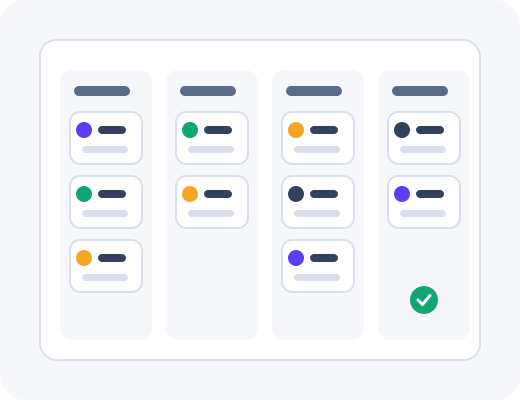
Backlink order tracking centralises those stages in the dashboard on a pipeline board every authorised stakeholder can read. Each order shows where it sits—from brief received through outreach, drafting, publisher review, scheduled publish and live verification—with notes when calendars slip. The same view scales whether you manage one priority URL or dozens of parallel placements across workspaces.
How orders move through stages
After you accept a proposal in the placement approval workflow, the order inherits target URL, anchor preferences, publisher context and attached assets. Operators move stages as work progresses; you are notified when input is required, such as missing brand guidelines or a draft awaiting comment. Critical blockers surface at the top of the queue so daily standups focus on exceptions rather than every in-flight row.
Median turnaround varies by niche and authority tier—heavily moderated publishers often take longer than contextual edits on existing pages. When delays happen, the order record notes the reason and revised expectation instead of leaving you guessing. You can pause or reprioritise credits without losing visibility into work already started, which helps seasonal programs pivot when merchandising changes.
What you see in the dashboard
The board supports filters by client workspace, campaign tag, priority page, placement type or credit pack. Saved views help agencies run quarterly programs across accounts without spreadsheet sidecars. Each card shows stage, owner, last update and links to assets—briefs, messaging notes, anchor preferences and file uploads stay tied to the order so editors are not chasing threads.
Version history on drafts shows what changed between revisions, which matters when legal comments on claims language late in production. Live verification captures final URL, anchor text, link attribute and indexation checks where applicable, then moves the placement into reporting views automatically. If verification fails agreed checks, replacement rules in your proposal govern next steps and appear on the same record.
Typical stages on the board
- Brief received and assets attached
- Publisher outreach in progress
- Content draft and internal review
- Publisher editorial review
- Scheduled publish date confirmed
- Live verification and handoff to reporting
Notifications and permissions
Choose who gets alerted when orders move stages or stall, without flooding the whole workspace.
Dashboard highlights
Stage movement appears in-app; optional email digests summarise orders awaiting your input each morning.
Asset permissions
Upload and replace brief attachments per order; content roles edit assets without admin access elsewhere.
Client-scoped views
Agencies route notifications per client workspace so one account’s delay does not alert unrelated brands.
Who benefits: in-house teams vs agencies
In-house teams give product marketing and leadership a read-only window into delivery without granting them approval authority on unrelated settings. SEO leads spend standups reviewing blockers on the board instead of reconstructing status from email. Pausing credits during budget holds does not erase in-flight visibility, which finance appreciates during quarterly planning.
Agencies run parallel boards per client with consistent stage names so coordinators can move between accounts without relearning process. Client contacts can receive limited notifications when their input is required on assets or drafts. Operators retain portfolio filters to see which workspaces need attention before weekly client calls.
Connecting tracking to measurement
When placements verify live, they flow into reporting with the same order ID used on the board. Optional SEO tool integrations overlay referral or query signals beside those URLs for monthly reviews. Completed orders remain searchable for audits long after the board card archives, which supports profile checks without exporting historical spreadsheets.
Coordinators can attach internal tags—launch code names, SKU families or quarterly themes—so leadership filters the board during steering meetings without exporting raw data. Tags carry into reporting exports, which means the story you tell executives matches the operational view your team used while delivery was in flight.
Related platform features
Order tracking follows marketplace browsing and placement approvals in how delivery works. Guest posts and niche edits share the same pipeline with different content milestones visible on each card. Explore backlink reporting dashboard exports for leadership summaries, or browse sample inventory to see which publishers typically fill your brief before you commit credits.
Quality standards explain why publishers on your board passed screening, which helps when a client questions domain choice mid-flight. If a stage regresses—publisher rejects a draft or requests new assets—the board records the reversal with notes so retrospectives capture real friction rather than anecdotal memory.
Frequently asked questions
Practical answers for teams evaluating this part of the product.
Which stages appear on the order board?
Typical stages run from brief received through publisher outreach, content draft, editorial review, scheduled publish and live verification. Status updates attach notes when a publisher calendar shifts. You see the same stages whether you manage one URL or dozens in parallel.
How are status changes communicated?
The dashboard highlights stage movement and optional email digests summarize orders awaiting your input. Critical blockers—such as missing assets or a rejected draft—surface at the top of the queue. Agencies can route notifications per client workspace.
Where do we upload briefs and creative assets?
Each order accepts target URLs, messaging notes, anchor preferences and file uploads tied to that placement. Assets stay linked through content production so editors do not chase email threads. Version history shows what changed between drafts.
How are delays handled and explained?
When a publisher calendar slips, the order record notes the reason and revised expectation. Median turnaround varies by niche and authority tier; higher moderation sites often take longer. You can pause or reprioritize credits without losing visibility into in-flight work.
Can we track several campaigns in one view?
Filters slice the board by client workspace, target section, priority page or credit pack. Saved views help in-house teams and agencies run quarterly programs without spreadsheet sidecars. Completed placements remain searchable for reporting.
What happens when a link goes live?
Live verification captures the final URL, anchor text, link attribute and indexation check where applicable. The placement moves to reporting views automatically. If verification fails agreed checks, replacement rules in your proposal govern next steps.
See this workflow in a live demo
Walk the dashboard with an operator and decide whether the process fits your team.