
Platform
SEO tool integrations that feed reporting—not replace your stack
Connect Search Console, analytics suites and export-friendly workflows with read-only scopes. Placement data stays in the dashboard while referral and query signals enrich monthly reviews.
The problem with delivery data stuck in a silo
Even strong managed outreach programs lose impact when live URL lists never meet the analytics and search tools your team already trusts. Coordinators copy CSVs into Looker, rank trackers and client portals every month. Tokens break silently; nobody notices until a quarterly review. Security reviewers hesitate to approve another standalone system that duplicates data without clear scopes. Marketing ops ends up maintaining brittle scripts instead of running campaigns.
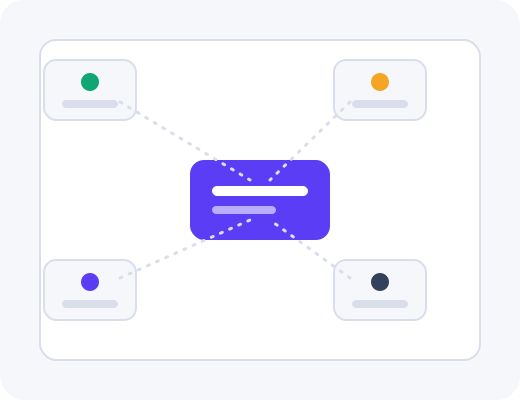
SEO tool integrations connect authorised properties to the backlink reporting dashboard so link-level records sit beside referral paths, landing-page performance and query coverage signals you choose to import. Scope stays limited to what supports measurement—not full site analytics dumps—and connections can be disabled instantly without affecting unrelated workspaces or historical link records.
How connections are established
During onboarding, your admin authorises read-only access to Search Console, analytics or compatible export endpoints for the domains and client workspaces in scope. Our team assists with property mapping when portfolios span regions or brand groups. Credentials are not exchanged over email; vendor-supported OAuth or scoped API tokens follow least-privilege defaults suitable for security questionnaires during enterprise scoping.
Each workspace supports the properties relevant to that client or brand group. Agencies map integrations per client rather than blending unrelated sites, mirroring boundaries already used in placement approvals and order tracking. Misconfigured properties can be disconnected from settings without touching delivery workflows or open orders.
What you see in the dashboard
Integration settings list connected properties, token health, last sync time and which reporting columns they populate. When a connector is active, live placement rows in reporting may show referral sessions, landing-page trends or query impressions for matched URLs—depending on what you enabled. Disconnected integrations leave link-level history intact while overlays simply pause until you reconnect.
Export templates inherit optional integration columns so client PDFs and finance CSVs stay consistent with on-screen views. Webhook-friendly status updates from order tracking can also feed external project tools when your ops team configures them, reducing duplicate status posts in client channels.
Data that typically flows in
- Referral paths and sessions for pages that received placements
- Landing-page performance trends for agreed date ranges
- Query coverage signals from Search Console where mapped
- Export hooks compatible with rank trackers your team already uses
Security and permissions
Integrations use least-privilege access with rotation and workspace-scoped boundaries.
Read-only scopes
Connections pull measurement signals; they do not publish content or modify site settings on your behalf.
Token rotation
Admins rotate or revoke tokens from workspace settings without opening a support ticket for each change.
Per-workspace mapping
Client properties stay isolated so analytics for one brand never appear in another workspace’s reports.
Who benefits: in-house teams vs agencies
In-house teams keep rank tracking and technical SEO in incumbent tools while using the product for managed outreach execution and placement records. Integrations reduce the monthly merge work between delivery exports and Search Console without forcing another analytics migration. Security reviews appreciate documented scopes and instant disconnect paths.
Agencies connect client properties per workspace so reporting overlays match what account leads present externally. Operators maintain a portfolio view of connector health across accounts before monthly calls. Unbranded exports can include referral columns when clients authorise analytics access, or omit them when clients prefer link-only summaries.
When integrations are optional
Delivery, approvals and link-level reporting function without any third-party connection. Teams in strict compliance environments may disable overlays entirely yet still run full programs inside the dashboard. Rank and traffic interpretation can remain manual or external until policies allow read-only analytics scopes.
Marketing ops teams sometimes connect a single canonical analytics property first, validate column mapping on a pilot workspace, then expand to remaining clients once security signs off. That phased rollout avoids big-bang token migrations and gives account leads time to adjust client reporting templates before referral columns appear in monthly PDFs.
When a connector pauses because a token expired, historical link rows retain their placement metadata while overlay columns show a clear stale indicator rather than silent blanks. Admins receive in-dashboard prompts to reconnect, which prevents quarterly reviews from proceeding on partial data without anyone noticing.
Related platform features
Integrations enrich backlink reporting dashboard views after placements verify live through order tracking. Publisher rows from the vetted publisher marketplace remain unchanged by connector status. Walk connector setup during a demo with your security questions ready, or read how delivery works for the full workflow integrations sit within.
New connectors are prioritised from customer requests captured during scoping rather than a fixed public roadmap, which keeps development aligned to stacks teams actually run. If your rank tracker supports structured exports, ask during onboarding how those files can supplement in-product reporting until a native hook is available.
Frequently asked questions
Practical answers for teams evaluating this part of the product.
Which SEO and analytics tools integrate today?
Common connections include Search Console, major analytics suites and export-friendly workflows for rank trackers your team already uses. The integrations page lists current connectors and how data maps into reporting. New connectors are prioritized from customer requests during scoping.
Who configures integrations during onboarding?
Your admin authorizes read-only access to the properties you choose; our team assists with mapping if needed. Credentials are not shared over email. Misconfigured properties can be disconnected instantly without affecting unrelated workspaces.
What data flows from integrations into the dashboard?
Typically referral paths, landing-page performance and query coverage signals that help judge placement impact—not full site analytics dumps. Scope stays limited to what supports backlink reporting. You can disable a connector and retain link-level history.
How is third-party access secured?
Connections use vendor-supported OAuth or scoped API tokens with least-privilege permissions. Tokens can be rotated from workspace settings. Enterprise agreements can document data handling expectations for security reviews.
Can we connect multiple domains or client properties?
Each workspace supports the properties relevant to that client or brand group. Agencies map integrations per client rather than blending unrelated sites. Domain groupings in reporting follow the same boundaries.
What if we cannot connect an analytics property?
Reporting still captures live links, anchors and indexation without an integration. Rank and traffic overlays simply remain manual or external until you connect. Delivery and approvals are unaffected.
See this workflow in a live demo
Walk the dashboard with an operator and decide whether the process fits your team.